Best Robotic Pool Cleaners for Arizona Pools (Heat, Monsoon Debris, and Year‑Round Use)
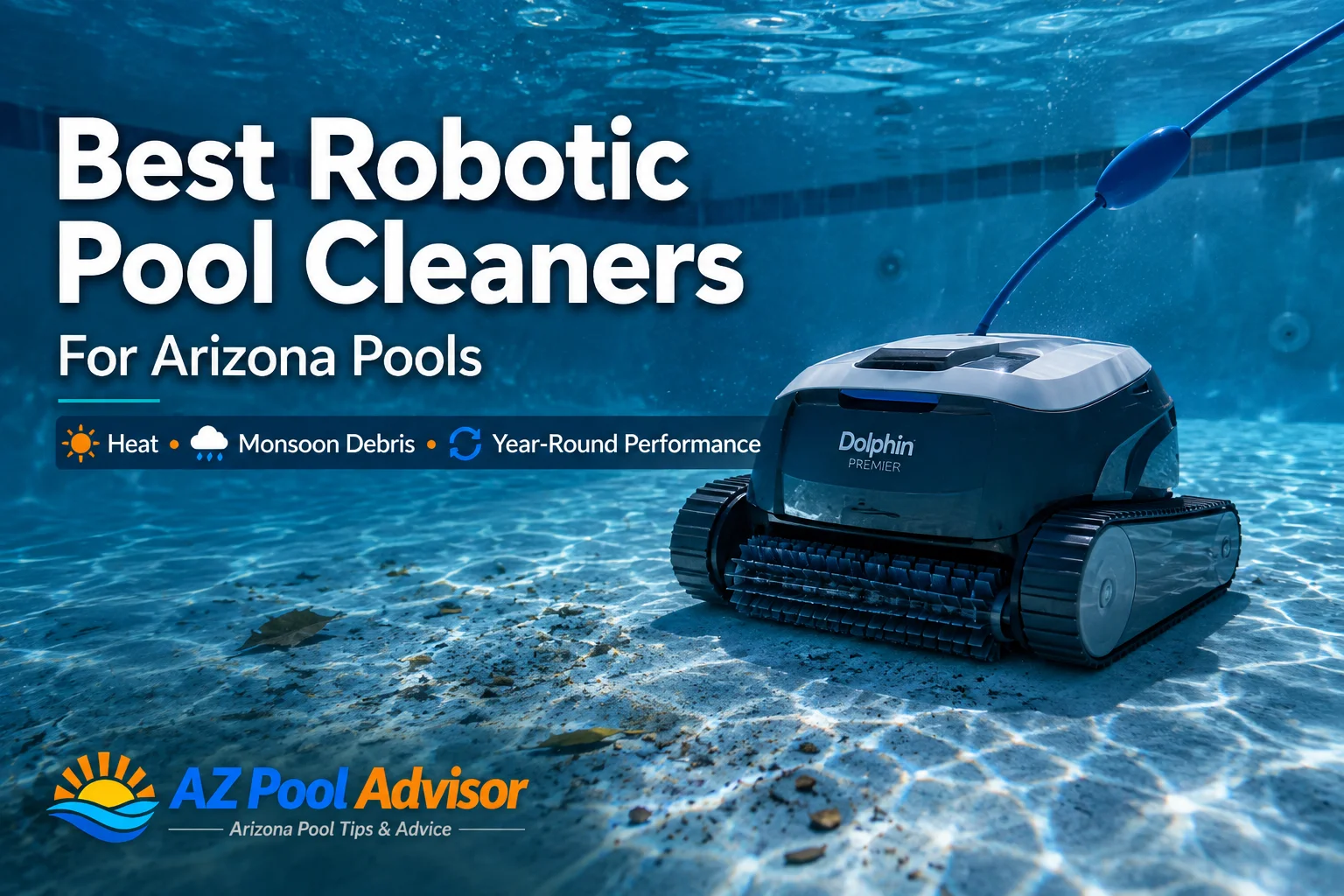
Robotic pool cleaners can save Arizona homeowners hours of maintenance time each week—but not every robot is the right fit for desert conditions. In this guide you’ll find clear, local advice on choosing a robotic cleaner that handles fine dust, heavy monsoon leaves, calcium build‑up and long summer runs without causing extra work.
Why a robotic cleaner makes sense in Arizona
Robots run independently of your pool pump and filter, reducing wear on plumbing and catching debris before it reaches your main filter. For Arizona homeowners that means fewer backwashes, lower energy use and cleaner water during long swim seasons. Look for models that climb walls and scrub waterlines—Arizona pools get stubborn grime at the tile line from dust and evaporative mineral deposits.
How we picked models for Arizona pools
Key criteria for this guide: strong debris handling for monsoon leaves and yard litter, UV‑resistant housings for long sun exposure, good filtration for fine desert dust and pollen, wall and waterline cleaning for tile build‑up, and straightforward maintenance. Below are dependable options across price ranges and pool sizes; specs are linked to manufacturer pages so you can double‑check features for your pool.
Top picks — what to consider by Arizona use case
Dolphin Explorer E40 — Best all‑around smart cleaner
The E40 is a popular mid‑to‑high end robot that scrubs floors and walls, offers Wi‑Fi control through the MyDolphin app and runs cycles of roughly 1.5–2.5 hours depending on the setting. It’s rated for pools up to 50 feet and uses a top‑load fine filter that’s easy to remove and rinse—handy when you’re emptying fine dust after a windy day. The manufacturer lists a multi‑hour cycle and a 3‑year warranty on many configurations, and the unit is light enough for one person to lift out of the pool.
Dolphin Nautilus CC Plus w/ Wi‑Fi — Best value for routine debris and dust
If you want strong floor and wall cleaning at a lower price point, the Nautilus CC Plus covers pools up to about 40 feet and completes a full clean in roughly two hours. It has an ultra‑fine top‑load filter option that captures small particles—useful after dust storms or days with a lot of Arizona pollen. The Nautilus line is simple to operate: plug in, drop in and schedule through the app.
Polaris 9550 Sport — Best for heavy leaves, large debris and big pools
For homeowners on lots with trees or who need a cleaner that handles larger debris after monsoon storms, the Polaris 9550 Sport is built to tackle heavier loads. Polaris rates it for pools up to 60 feet, with a sizable 5‑liter canister, a 70′ cable and a 7‑day programmable timer. Its Vortex vacuum tech and 4WD design help it move over obstacles and scrub the tile line. If monsoon season or landscape debris is your main concern, a model with a large debris bin like this one reduces trips to empty filters mid‑season.
Hayward TigerShark / AquaVac series — Best for heavy scrubbing and wall coverage
Hayward’s TigerShark and AquaVac robotic cleaners are known for strong, reliable scrubbing and cartridge‑style filters that can hold larger volumes. The TigerShark family includes models with quick‑clean cycles and proven wall‑climbing ability—helpful when you’re dealing with mineral deposits at the waterline from hard Arizona water. Manufacturer literature notes multi‑hour cycles and cartridge filtration systems that make emptying straightforward.
Arizona‑specific buying and usage tips
Keep these local realities in mind when choosing and running a robot:
- Run during cool hours: Run robots in early morning or late evening during summer to avoid thermal stress on plastic components and reduce rapid chlorine loss from sunlight.
- Check cord length vs. pool length: Many desert homes have long lap pools—confirm the manufacturer’s maximum pool length and choose a cord that won’t strand the cleaner mid‑pool. Polaris lists a 70′ cable for the 9550 model, for example.
- Expect fine dust and pollen: Use fine or ultra‑fine filter panels (if available) and rinse them frequently; desert dust clogs cartridges fast, reducing cleaning efficiency.
- After monsoon storms: Shake out debris outdoors before rinsing filters—large wet leaves and silt need manual clearing to prevent clogging.
- Hard water & calcium: Wall and waterline scrubbing is essential—look for active brushes and waterline programs, and brush tile quarterly to manage calcium buildup.
- Storage: Keep the robot and power supply shaded and off concrete when not in use to reduce UV and heat exposure to seals and gaskets.
Maintenance checklist for long life
Empty and rinse filter media after each heavy run, inspect brushes and tracks monthly, and clean the impeller if you notice suction loss. For warranty and repairs, register your robot and locate an authorized service dealer—many manufacturers list dealer locators on their sites (use those pages for the latest service options).
How to decide between features
Choose by what bothers you most:
- Fine dust and pollen: choose a robot with ultra‑fine filtration and easy top‑load access (Nautilus CC Plus or E40).
- Big leaves and heavy debris: pick a large‑canister robot with vortex or canister vacuuming (Polaris 9550 Sport or TigerShark variants).
- Tile and waterline calcium: prioritize active scrubbing brushes and a waterline program (many Hayward and Polaris models offer this).
FAQ
Will a robotic cleaner replace weekly brushing or vacuuming?
Robots handle most of the routine scrubbing and vacuuming, but you should still visually inspect and brush tile/waterline weekly during summer and after storms to stop calcium and algae build‑up early.
Do robots work with salt systems or hard water?
Yes—robots operate independently of your pool’s chlorination system and work fine in salt pools. Hard water won’t damage the robot immediately, but it will increase scale on pool surfaces; regular brushing and occasional vinegar or scale cleaner on tile help.
How often should I empty the filter canister?
Empty after every cycle that picks up visible debris; in dusty or windy conditions you may need to empty after every run to maintain suction and avoid reintroducing dust to the pool.
Are Wi‑Fi or app features worth it?
Wi‑Fi adds convenience for scheduling and remote starts—helpful if you manage pool care remotely—but it’s not essential to cleaning performance. If you prefer simple operation, several reliable non‑app models remain available.
Next steps
Match the model to your biggest pain point—dust, leaves, or waterline scale—then confirm specs (pool length, filtration type and canister size) on the manufacturer page before buying. For Arizona homeowners who want help with installation, parts or local service, explore AZ Pool Advisor’s directory of trusted local pool companies and our practical tips for keeping desert pools sparkling year‑round.